Drop to import
Drag a file anywhere in the window, or use the file picker. Oceanic+ zips, single exports, and mixed archives all land the same way.
Native macOS · Local-first
Built for Oceanic+ on Apple Watch Ultra. Profiles, sites, gear, and stats on your Mac. Local only. No account.
Drag a file anywhere in the window, or use the file picker. Oceanic+ zips, single exports, and mixed archives all land the same way.
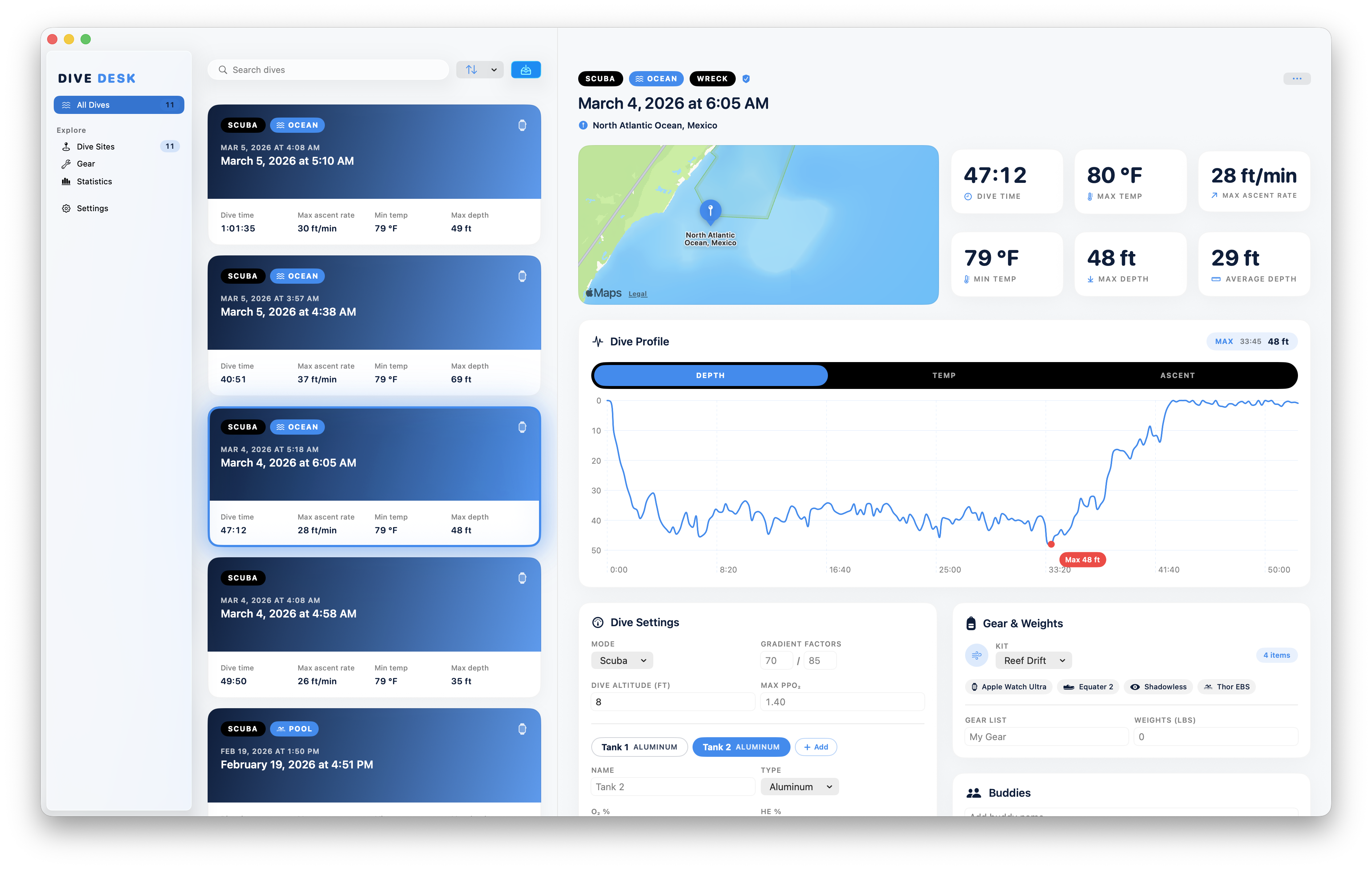
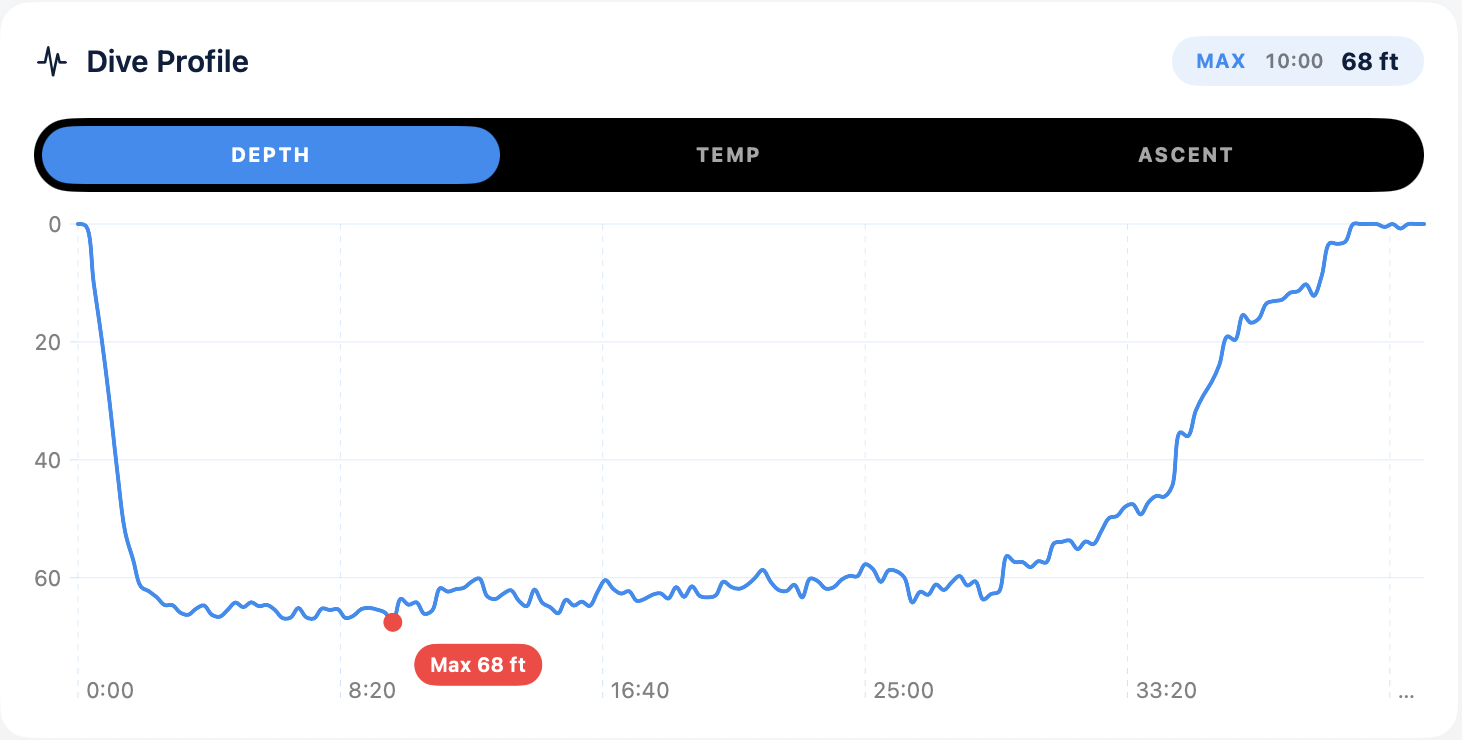
Depth, temperature, and ascent charts with hover scrubbing, peak markers, and live readouts at any point in the dive.
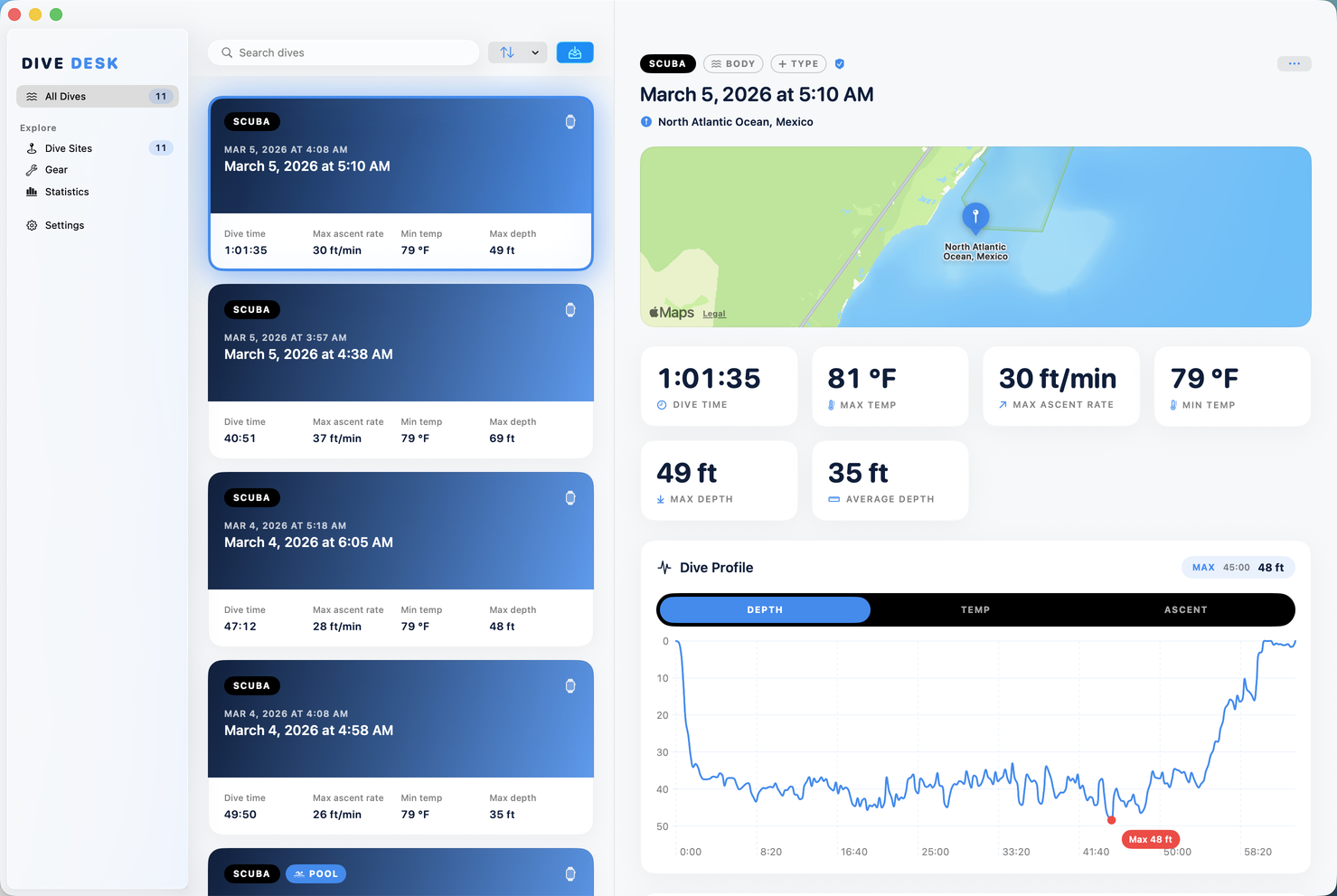
Sort by date, depth, duration, site, location, or temperature. Search notes, buddies, sites, and dive types in one pass.
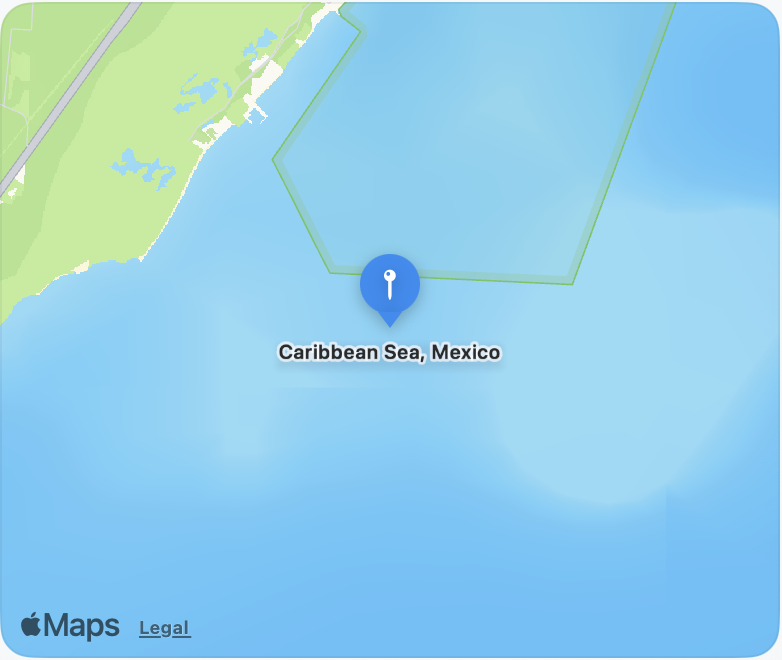
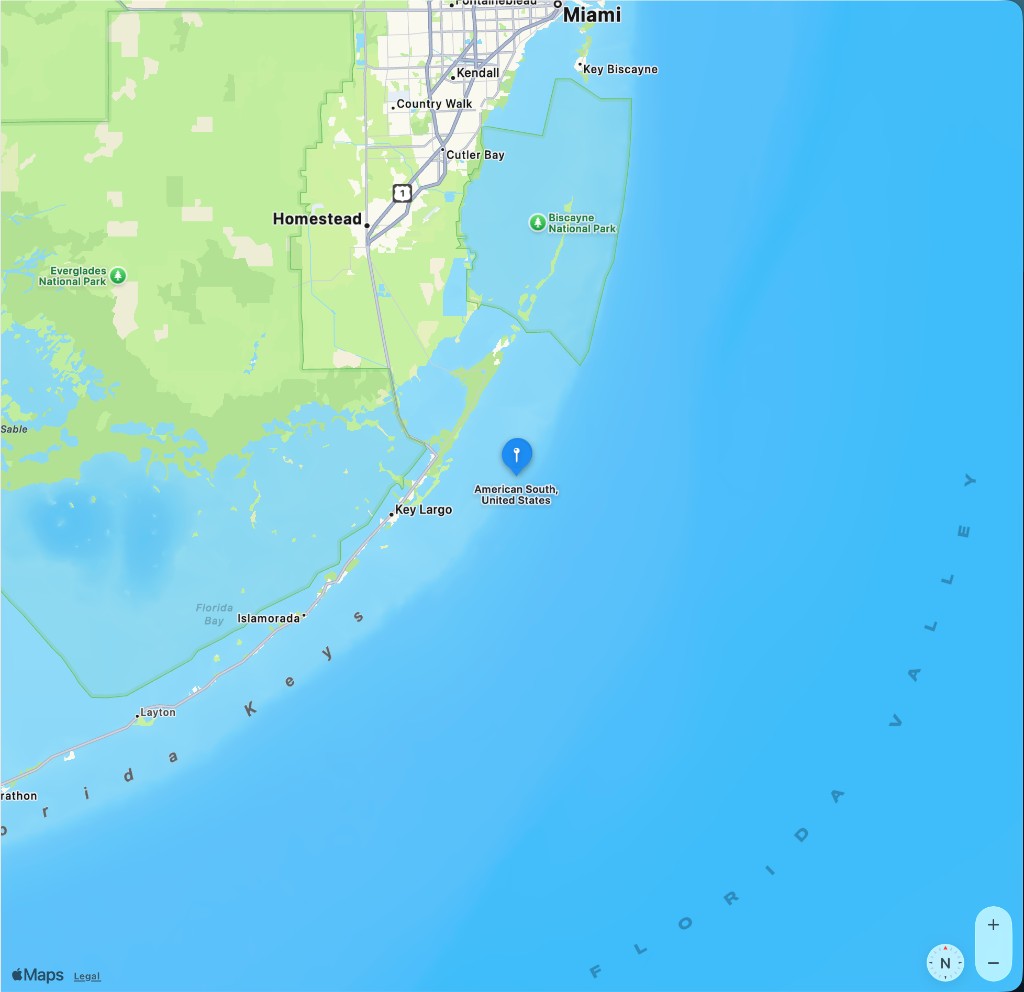
Dive sites from your logs, geocoded and pinned on an interactive map, even when the import only had an opaque site ID.
Personal inventory with kits and categories, plus computers, tanks, gas mixes, buddies, and weights pulled automatically from your dives.
Total dives, time underwater, deepest and average depth, with depth-over-time and duration trend charts.
Everything in one app
A three-pane layout: dive list, full detail, and dedicated workspaces for sites, gear, and statistics.
Split views, refined empty states, light and dark mode, and a layout inspired by Oceanic+.
Your log lives on your Mac. No cloud sync, no account, no telemetry. Erase everything from Settings anytime.
Drop the same export again without duplicates. Edits you made in Dive Desk are never overwritten.
Oceanic+ is the sweet spot, but Dive Desk also works with UDDF, Subsurface, Shearwater, Suunto, Mares, DAN, CSV, and zip archives.
Depth, temperature, and ascent-rate tabs. Gradient fills, hover scrubbing, and markers for max depth and ascent peaks.
Every site from your logs on an interactive map. Reverse geocoding fills in names when imports only ship coordinates or IDs.
Mode, dive type, water body, conditions, multi-tank gas, gear kits, buddies, rating, notes: all editable on the detail page without modals.
Track your own gear across 60+ categories, build named kits, and see computers, tanks, and blends from your dive history.
Depth, temperature, pressure, weight, and tank capacity, each toggled independently, imperial or metric.
Summary tiles for totals and records, plus charts for max depth and dive duration across your log.
Import
Oceanic+ .zip exports from Apple Watch Ultra are the main path in, but Dive Desk
can also work with log files from other dive apps and computers. Everything is read locally;
format is inferred from the file, not chosen from a menu.
 Drag-and-drop anywhere in the window
 Multi-select file picker
 Mixed-format zip archives
 Import progress and summary stats
 Re-import without duplicates
 Site geocoding when coordinates are available
Also works with exports from
Non-Oceanic UDDF formats are supported but not guaranteed.
Explore
Sidebar navigation between dives, sites, gear, and stats, with a full detail view for every dive.
 Ocean
Ocean
 Ocean
Ocean
Ocean
Ocean
Dive detail
Nothing buried in dialogs. The detail view is where you read profiles and refine the record.
 Profile & charts
Location & identity
Profile & charts
Location & identity
 Tanks, gas & gear
Conditions & notes
Summary stats
Tanks, gas & gear
Conditions & notes
Summary stats
 Library tools
Privacy
Sandboxed with user-selected files only. Everything stays on disk. No cloud sync, no analytics, no account. Erase your entire log anytime from Settings.
Download
Dive Desk runs natively on macOS 14 or later on Apple Silicon and Intel. Free to download, no sign-up required.
 Download for Mac
Requires macOS 14 Sonoma or later







 Dive time
 Max temp
 Max ascent rate
 Max depth
 Average depth
 Kits
Kits
 Gas Mixes







 Erase All Dive Data
